Best Ergonomic Travel Keyboards for Digital Nomads (2025): Type Comfortably, Anywhere
Introduction: Taming the Travel Typing Torture
The dream of working from anywhere is powerful, but the reality of typing on cramped hotel keyboards or awkward laptop layouts can quickly turn that dream into a repetitive strain injury nightmare. For digital nomads, the keyboard isn’t just a tool; it’s an extension of their workspace, and its portability and ergonomics are paramount to sustained productivity on the road.
In 2025, the market offers a surprisingly diverse range of travel-friendly keyboards. We’re not just talking about small, flimsy plastic boards anymore. Today’s best ergonomic travel keyboards balance a satisfying typing experience, robust build quality, and smart design features that make them genuinely suitable for extended use, even when you’re thousands of miles from your home office.
This guide will dive into the top ergonomic travel keyboards for digital nomads in 2025, focusing on key features like portability, typing comfort, connectivity, and durability. Whether you’re a writer, coder, or simply someone who types a lot on the go, we’ve got a recommendation for you.
Key Factors When Choosing an Ergonomic Travel Keyboard
For digital nomads, “ergonomic” means more than just a split layout. It encompasses a holistic approach to comfort and efficiency in dynamic environments.
1. Portability: Weight and Size
Every ounce and inch matters. Look for lightweight, slim designs that easily slip into your backpack without adding bulk. Folding or compact designs are often preferred.
2. Typing Comfort & Ergonomics
This includes key travel, actuation force, and the overall feel of the switches. For ergonomic benefits, consider split layouts, adjustable tenting, or compact designs that allow for neutral wrist positioning.
3. Connectivity: Wireless and Wired Options
Most travel keyboards are wireless (Bluetooth). Ensure stable multi-device pairing. A wired (USB-C) option is a bonus for reliability or charging.
4. Battery Life
You don’t want your keyboard dying mid-flight or in a café without power. Aim for weeks, if not months, of battery life on a single charge.
5. Durability & Build Quality
Travel means bumps and spills. A robust build and some level of spill resistance are highly desirable.
Top 5 Ergonomic Travel Keyboards for Digital Nomads (2025)
#1. Logitech MX Keys Mini: The Compact Productivity Powerhouse
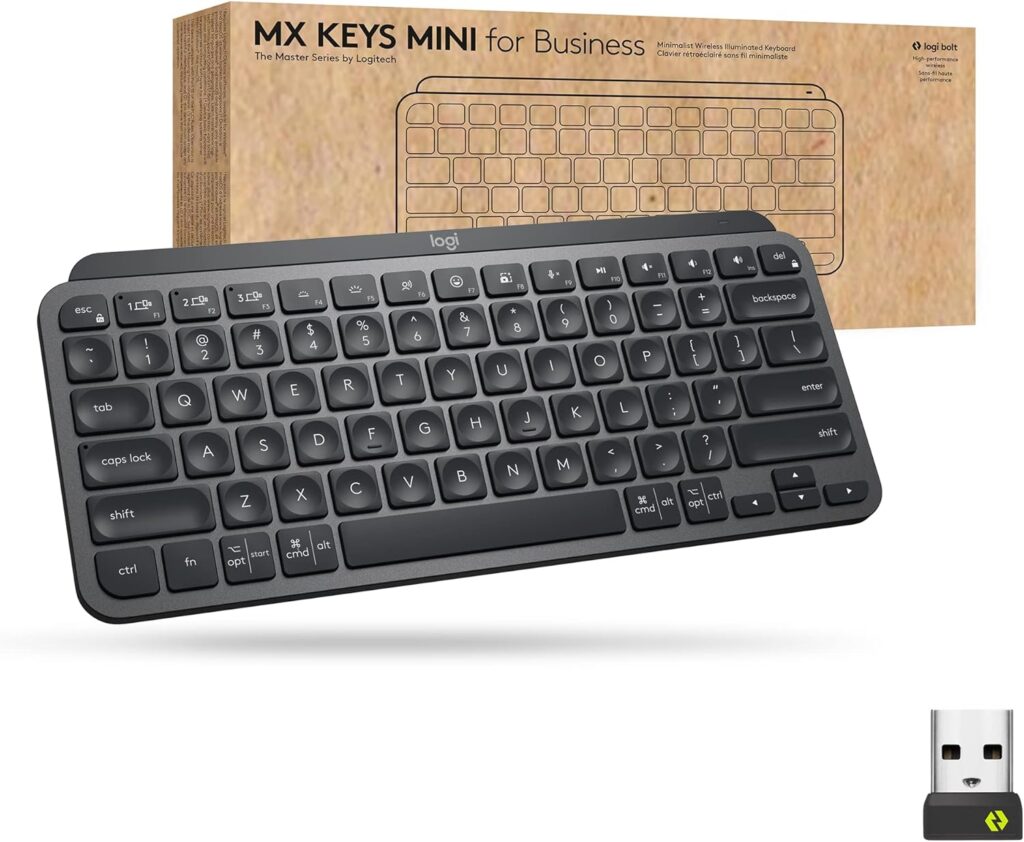
The MX Keys Mini is a minimalist marvel that sacrifices nothing in typing experience. Its compact size makes it incredibly portable, while the “Perfect Stroke” keys offer a satisfying, ergonomic feel.
- Why it’s Great: Excellent, quiet scissor-switch keys; smart backlighting; multi-device Bluetooth connectivity; USB-C charging. It’s not split, but its compact footprint allows for a more natural mouse position, reducing shoulder strain.
- Ideal For: Professionals who need a familiar, high-quality typing experience in a small form factor.
- Affiliate Callout: For serious work on the go, the MX Keys Mini is unmatched. Check current prices on Amazon:
#2. Keychron K3 Pro (Low-Profile Optical/Mechanical): The Customization King
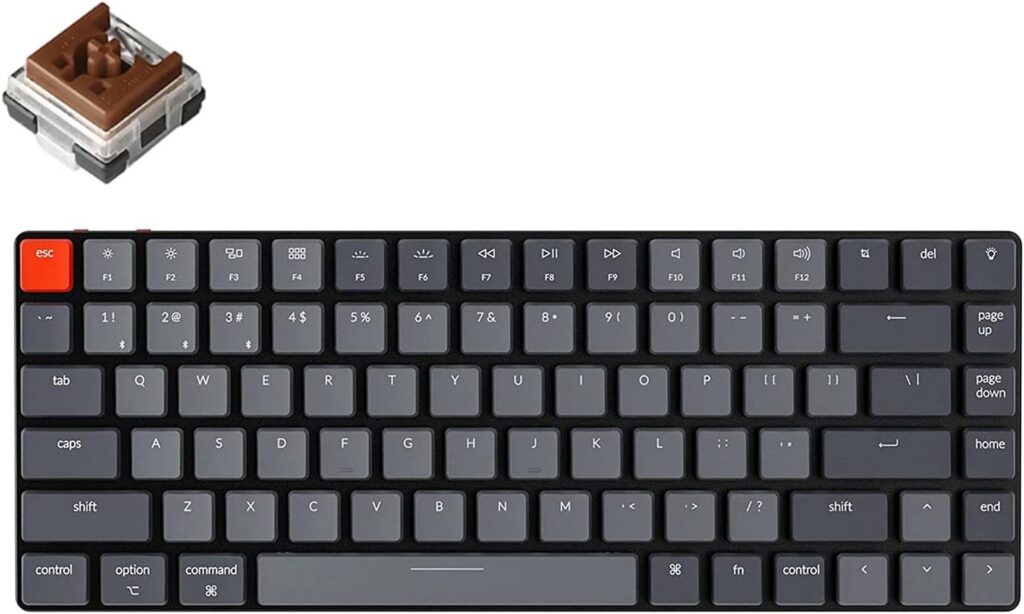
Keychron has taken the mechanical keyboard world by storm, and their low-profile K3 Pro is a digital nomad’s dream. It offers the satisfying tactile feel of mechanical switches in a slim, portable design.
- Why it’s Great: Hot-swappable switches (customize your typing feel); RGB backlighting; multi-device Bluetooth and wired USB-C connectivity; compatible with macOS and Windows. Its low-profile design is ergonomic without being overtly split.
- Ideal For: Coders, writers, and enthusiasts who want a customizable, premium typing experience that travels well.
- Affiliate Callout: Upgrade your travel typing with mechanical precision. Find the Keychron K3 Pro on Amazon:
#3. Microsoft Sculpt Ergonomic Keyboard: The True Ergonomic Split (for longer stays)
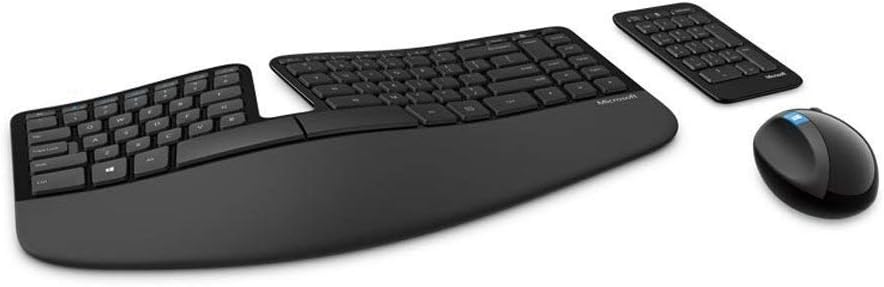
While not as ultra-portable as others, the Sculpt is for nomads who prioritize a truly ergonomic, split-key experience for longer periods in one location.
- Why it’s Great: Its distinctive split design and domed shape promote a natural wrist and forearm posture, significantly reducing strain. The cushioned palm rest adds comfort. Wireless connectivity.
- Ideal For: Nomads who set up a “mini-office” for weeks or months at a time and need maximum ergonomic benefit.
- Affiliate Callout: For unparalleled ergonomic comfort on your extended travels, the Microsoft Sculpt is a worthy investment. Buy now on Amazon:
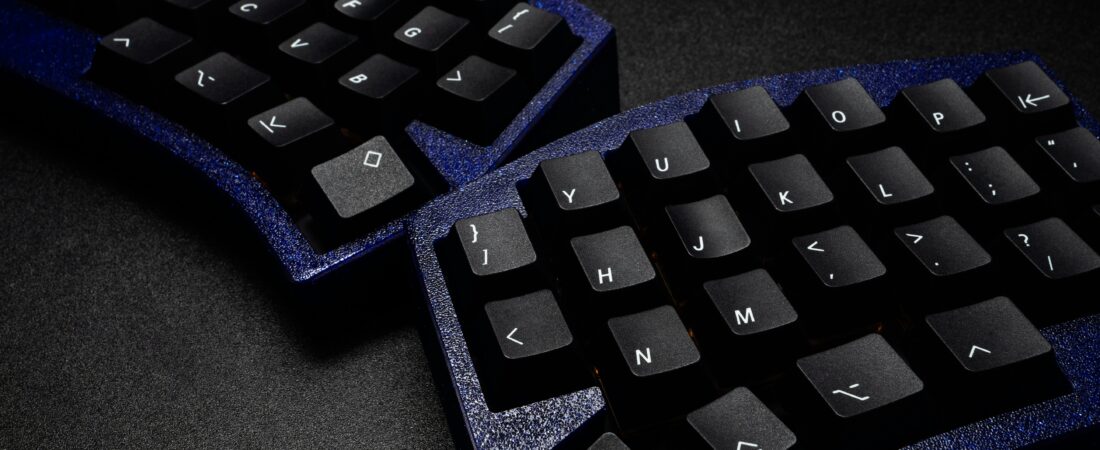
#4. ZSA Moonlander Mark I: The Ultimate Customizable Split Ergonomic (Premium)
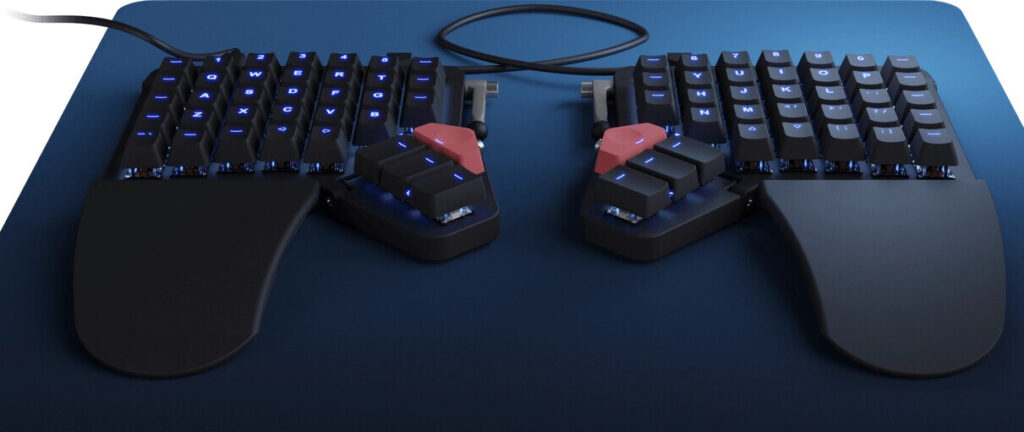
For the discerning nomad willing to invest in a top-tier, highly customizable ergonomic solution, the Moonlander offers a fully split, ortholinear, and programmable experience.
- Why it’s Great: Completely split design allows for perfect shoulder width; highly customizable keycaps and switches; programmable layers for macros and shortcuts; incredibly compact when folded. Promotes neutral wrist and finger posture.
- Ideal For: Power users, coders, and those with existing wrist issues who need a truly personalized ergonomic setup.
- Affiliate Callout: Take your ergonomics to the next level with the ZSA Moonlander Mark I. Explore customization options and pricing:
#5. Apple Magic Keyboard (with Touch ID, if compatible): The Seamless macOS Experience
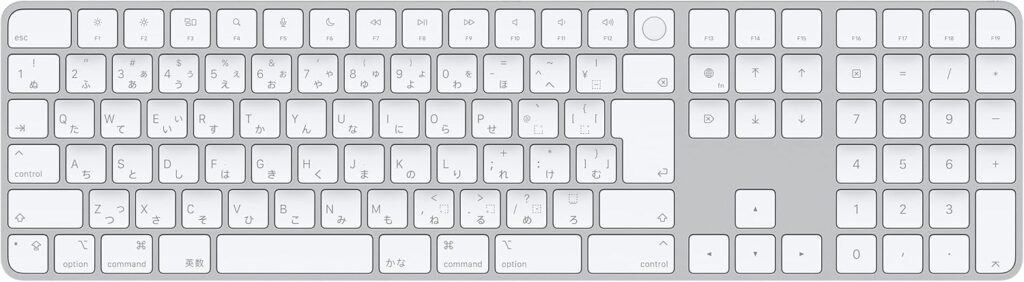
For MacBook users who prioritize seamless integration and familiar typing, the Apple Magic Keyboard remains a strong contender, especially for shorter trips or when desk space allows.
- Why it’s Great: Flawless macOS integration; Touch ID for secure logins (on compatible Macs); extremely slim and lightweight; excellent scissor-switch typing feel. Long battery life.
- Ideal For: Apple loyalists who want the most integrated experience and are comfortable with a standard (non-split) layout.
- Affiliate Callout: For the ultimate Apple ecosystem integration, the Magic Keyboard delivers. Purchase yours on Amazon:
Comparison Table: Ergonomic Travel Keyboards at a Glance
| Rank | Keyboard Model | Type | Ergonomics | Connectivity | Weight (Approx.) | Key Feature for Nomads | Price Tier |
|---|---|---|---|---|---|---|---|
| 1 | Logitech MX Keys Mini | Scissor | Compact (Neutral) | BT/USB-C | ~1.1 lbs | Premium typing, small footprint | $$$ |
| 2 | Keychron K3 Pro | Low-Profile Mechanical | Low-Profile | BT/Wired | ~1.3 lbs | Customizable mechanical switches | $$$ |
| 3 | Microsoft Sculpt Ergonomic | Membrane (Split) | True Split Dome | Wireless | ~1.8 lbs | Max ergonomic split for longer stays | $$$ |
| 4 | ZSA Moonlander Mark I | Mechanical (Split) | Fully Split/Ortho | Wired/BT | ~1.5 lbs | Extreme customization & portability | $$$$ |
| 5 | Apple Magic Keyboard | Scissor | Standard (Slim) | Wireless | ~0.5 lbs | Seamless Apple integration/lightest | $$$ |
Conclusion: Type Smarter, Not Harder, On The Road
Choosing the right ergonomic travel keyboard is an investment in your health and productivity as a digital nomad. While ultra-compact options like the Logitech MX Keys Mini and Keychron K3 Pro offer fantastic portability and typing feel for most, dedicated ergonomic solutions like the Microsoft Sculpt or ZSA Moonlander provide superior comfort for those who need it most. And for Apple purists, the Magic Keyboard remains a solid choice for seamless integration.
Prioritize what truly matters for your workflow: extreme portability, deep ergonomic benefits, or seamless ecosystem integration. With the right keyboard, you can conquer any co-working space or café, maintaining your efficiency and comfort wherever your travels take you.